
NiceChat:Video Call & Fun Chat
Jbm-PayLifestyle
0.00.00 Reviews
- Version
- 1.0.0
- Installs
- 100.00K
- Age Rating
- Mature 17+
Screenshots
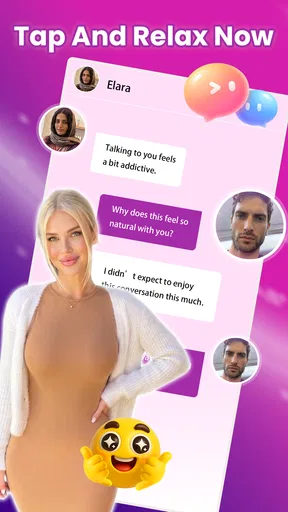




Our Review of NiceChat:Video Call & Fun Chat
 Analysis by Appyee
I approached NiceChat:Video Call & Fun Chat as a simple question: what happens when I want a more private online conversation with one particular person, rather than another public feed or a broad social network? The answer is a focused lifestyle app from Jbm-Pay that centers its experience on online video chat in a private room. That narrow purpose is both its appeal and the main thing to consider before installing it.
The app is free to download, which makes trying the basic experience easy. It is intended for mature users aged 17 and over, and the current release is version 1.0.0. It runs on Android 8.0 and later, so it remains accessible on many older phones. Jbm-Pay has already attracted over 100 thousand installs, but I would still treat it as a relatively focused service rather than a replacement for every messaging tool on my phone.
From wanting a private chat to completing a call
I find the most useful way to approach a private video chat is to begin with the person and the purpose, not with the call button. In this section, I’ll trace how that intention can become a comfortable conversation, including the small preparations that make the handoff feel less abrupt. The next part then looks at what the private-room format is actually suited to once both people are ready to talk.
Starting with the right expectation
My first useful takeaway is that this is not an app I would open when I want a large community, a public timeline, or a complicated collaboration workspace. Its value begins with a specific situation: I already have someone in mind and want a more direct video conversation. That could be a friend who lives elsewhere, a person I regularly talk with online, or someone I would rather speak with face to face than through short text messages.
That starting condition matters because it changes how I judge the app. A private-room video chat should reduce distractions and make the conversation feel more intentional. It should not need the endless browsing habits associated with social platforms. In my experience, the best way to use NiceChat is to decide beforehand who I want to contact and what kind of conversation I expect. Going in with that purpose keeps the experience from feeling aimless.
The mature age label also affects who I would recommend it to. I would not suggest it casually to younger teenagers, and I would encourage any adult user to think carefully about personal boundaries before beginning a video conversation with someone they do not know well. A private setting can feel comfortable, but privacy should never be confused with trust.
Getting ready before the conversation
Before starting a call, I would prepare the same way I prepare for any video chat: a stable connection, a reasonably quiet place, and enough battery for a conversation that may last longer than expected. This is a small but important workflow improvement. If the camera image is dark or the microphone is surrounded by noise, the app can feel disappointing even when the problem is really the room or the phone.
I also recommend deciding whether the call is worth using mobile data. Video is more demanding than ordinary text chat, so a user who is away from Wi-Fi should keep an eye on their data plan. This is not a special feature of NiceChat, but it is a practical trade-off for this particular type of app: the point is visual conversation, and visual conversation consumes more resources than sending messages.
Another useful habit is to keep the first session short and exploratory. I would not immediately treat the app as my only way to stay in touch. I would first see whether the person I want to reach is comfortable with the private-room format, whether the conversation feels natural, and whether the app fits our routine better than the alternatives we already use.
Moving through the private-room experience
The central flow is easy to understand from the app’s purpose: choose the person or conversation you want, enter a private video space, and talk. That simplicity is welcome. I do not need a public profile strategy or a content plan to find value here. The app is at its strongest when the user treats it as a direct bridge to a chosen conversation rather than as another place to spend unlimited time.
There is also a subtle difference between a private video room and a normal phone call. Video adds facial expressions, gestures, and the feeling of being present together, even when the two people are far apart. For a quick check-in, that can make the exchange warmer. For a sensitive conversation, it can also make the interaction more demanding, because both participants are visible and may feel pressure to stay engaged.
I would therefore use the room deliberately. If I only need to confirm a time or send a short update, a normal messenger is probably faster. If I want to catch up with a favorite person, share a reaction, or have a conversation where seeing each other adds something, this app’s format makes more sense.
Managing the handoff between people
The most important handoff is not technical; it is social. One person has to invite or connect with the other, and both need to understand that the conversation is moving from ordinary communication into a live video setting. I would send a short message first when possible, especially if the other person may be busy or not expecting a call. That simple step prevents the awkwardness of an unexpected camera request.
There is a second handoff when the conversation ends. A good private-chat workflow includes a clear way to leave rather than assuming the other person will simply disappear. I would agree on a rough stopping point for longer conversations, particularly when using the app with someone I am still getting to know. This makes the experience more comfortable and avoids turning a casual chat into an obligation.
For recurring conversations, I would create a small routine around the app instead of opening it randomly. For example, two people in different time zones could use it for a planned weekly catch-up, while keeping a regular messenger for scheduling. NiceChat then becomes the place for the actual face-to-face exchange, not a confusing mixture of planning, browsing, and calling.
What the conversation feels like in practice
The strongest result is immediacy. A private video room can make a distant person feel more present than a sequence of text bubbles. I found that especially useful for conversations where tone matters. A smile, pause, or expression can prevent the misunderstanding that sometimes happens when a short message sounds colder than intended.
At the same time, video calls ask more from me than text chat. I have to think about lighting, background, appearance, and whether I am in a place where speaking aloud is appropriate. That is not a flaw unique to this app, but it means NiceChat is not automatically the easiest option. The more private and personal the conversation, the more important it becomes to choose the right environment.
A realistic everyday example would be a person who has moved to another city and wants to keep a close friendship active. Instead of exchanging occasional reactions throughout the day, both friends could arrange a private video conversation after work. One friend might use the app from a quiet room while the other joins from home. The outcome is not a new social network or a public audience; it is a more personal catch-up with fewer distractions.
Where paid items enter the decision
The app is free, but optional in-app purchases range from ninety-nine cents to ninety-nine dollars and ninety-nine cents per item. That is a wide span, so I would be careful before spending anything. I would first understand what part of the experience I can use without paying, then decide whether an optional purchase genuinely improves the way I plan to use the service.
My practical rule would be simple: do not buy anything during the excitement of a first conversation. Use the free experience long enough to decide whether the app fits the relationship and routine. If I only expect occasional calls, paying may not make sense. If I use the service regularly and an optional item solves a clear problem for me, I can judge that purchase on its own value rather than treating payment as a requirement for belonging.
This is also where NiceChat differs from many familiar video-call alternatives. Some established messengers combine text, group conversations, file sharing, and video in one broad package. NiceChat appears more focused on the private video-chat moment. That focus can feel cleaner, but it may also mean I still need another app for planning, sending documents, or maintaining a long written conversation.
Privacy, comfort, and personal boundaries
A private room sounds reassuring, but I would still approach every online video conversation with normal caution. I would avoid sharing sensitive documents, financial details, passwords, or information that could identify my home or daily routine. The private label describes the intended setting; it is not a reason to lower my judgment about the person on the other side.
I would also pay attention to how comfortable I feel during the call. If someone pressures me to continue, asks for things I do not want to share, or ignores a clear boundary, I would end the conversation rather than trying to make the app solve a personal safety issue. The best workflow has an exit: I should be able to leave, stop responding, or move the relationship back to a less intimate channel when needed.
For families, this means setting expectations before recommending the app. Adults may appreciate the direct format, while younger users need a different level of supervision and suitability. Because the content rating is mature, I would not present it as a general-purpose family video tool.
Where the flow breaks down
The first possible break is finding that the other person does not want a video call. This is not something the app can fix. A recipient may prefer audio, text, or a familiar platform already used by everyone in their group. In that situation, NiceChat becomes an extra step rather than a solution. I would only ask someone to install it when the private video format offers a clear benefit.
The second break is technical friction. Any live video experience depends on the phone, connection, microphone, camera, and surrounding environment. An older compatible device may run the app but still provide a less pleasant call than a newer phone. If the image or sound is unreliable, I would first test the basics before blaming the service: move closer to the router, close demanding background apps, check the room noise, and try again at a different time.
The third break is expectation mismatch. Someone looking for a broad social discovery experience may find the private-room focus too limited. Someone seeking a full work tool may miss the wider functions offered by dedicated meeting software. Someone who mainly sends quick messages may find video more effort than it is worth. These are not minor exceptions; they are clear cases where another category of app is better.
There is also the question of cost over time. The free entry point is helpful, but the optional purchase range means I would monitor spending carefully. If the app becomes part of a frequent routine, I would review purchases as a recurring personal expense rather than assuming each small decision is harmless. That is especially important when a conversation is emotionally engaging and it becomes tempting to pay without first considering the long-term value.
Who I would recommend it to
I would recommend NiceChat to an adult who already has a specific person in mind and wants a direct, private video conversation without joining a noisy public platform. It suits someone who values face-to-face contact, can arrange calls at mutually convenient times, and is comfortable keeping other tools for text, scheduling, or sharing files.
I would be more cautious about recommending it to someone who needs a dependable all-in-one communication system. If a group already uses a familiar messenger for every conversation, adding another app may create more handoffs than it removes. I would also steer away from it for users who are not comfortable on camera, who have limited data, or who want a mainly text-based experience.
The minimum operating-system requirement of Android 8.0 or later is reasonable for compatibility, but compatibility alone does not guarantee a smooth call on every phone. I would treat the first session as a test of the complete workflow: can I connect with the intended person, can we hear and see each other comfortably, and does the private format actually improve the conversation?
My result after following the full workflow
NiceChat works best when I use it with intention. I start with a known person, prepare for a video conversation, make the social handoff clear, and leave the room when the conversation is finished. In that workflow, the app’s focused design is useful because it keeps attention on the person rather than on a public feed.
My reservations are equally practical. It is not the obvious choice for quick text updates, large groups, work meetings, or users who want one app to handle every form of communication. The mature rating requires sensible boundaries, and the optional purchases deserve a deliberate approach. Technical quality will also depend on the phone and connection used for the call.
Overall, I see this free lifestyle app as a targeted option rather than a universal messenger. If your goal is to speak privately with someone you care about and video adds real value, it is worth trying on a compatible Android device. I would begin with a short, planned conversation, keep spending optional, and judge the app by one simple outcome: whether it makes that particular relationship easier to maintain.
Verdict
Strengths of NiceChat:Video Call & Fun Chat
- Simple interface makes it easy to start video chats quickly.
- Fun effects and filters add variety to conversations.
- Supports meeting new people beyond your existing contacts.
- Video calling provides a more personal way to communicate.
- Useful for casual entertainment and spontaneous chats.
Limitations of NiceChat:Video Call & Fun Chat
- Interactions with strangers may involve inappropriate or unwanted behavior.
- A stable internet connection is needed for smooth video calls.
- Video calls can consume significant mobile data and battery.
- User availability and chat quality may vary considerably.
- Privacy settings should be reviewed carefully before using the app.
Similar Picks in This Category
View All
SmartThings
Samsung Electronics Co., Ltd.4.6

Google Home
Google LLC4.0

Pinterest4.2

Astrotalk - Talk to Astrologer
Astrology & Horoscope4.7

My Verizon
Verizon Consumer Group4.5

Samsung Wallet (Samsung Pay)
Samsung Electronics Co., Ltd.4.1
Frequently Asked Questions
What is NiceChat: Video Call & Fun Chat?
NiceChat: Video Call & Fun Chat is a social communication app designed for meeting people, starting conversations, and making video calls from a mobile device. It combines messaging and live video features with a casual, entertainment-focused experience. Before downloading, users should review the app’s current description, supported regions, age requirements, and available communication tools, since features may vary by platform or location.
Is NiceChat: Video Call & Fun Chat free to use?
The app may be available to download for free, but some functions can require in-app purchases, virtual credits, subscriptions, or other paid options. Video calls, premium interactions, profile visibility, and additional entertainment features may not all be included in the basic version. Check the Google Play Store or Apple App Store listing carefully for pricing, recurring billing details, and refund policies before making a purchase.
Is NiceChat safe and private for chatting or video calls?
Users should treat NiceChat like any social or video-chat platform and avoid sharing sensitive information, passwords, payment details, home addresses, or private documents. Review the app’s privacy policy and permissions before creating an account. Use blocking and reporting tools when available, keep conversations respectful, and remember that online profiles may not always represent a person accurately.
Does NiceChat require an account, camera, and microphone access?
The exact requirements can depend on the version of the app and the features you want to use. Social discovery and messaging services commonly request registration, while video calls normally need permission to access the camera and microphone. You can manage these permissions through Android or iOS settings. If you deny access, basic browsing or text features may remain available, but video functionality could be limited.
What should I check before downloading NiceChat on Android or iPhone?
Before installing NiceChat: Video Call & Fun Chat, check whether your device meets the listed operating-system requirements and whether the app is officially available in your country. Read recent user reviews, examine the developer information, and confirm its data-safety or privacy disclosures. Also verify storage needs, age restrictions, subscription terms, and whether an internet connection is required for calls and chats.
